New for 2026
In-browser
~1 minute
xegen: The Fastest 7 Days to Die World & Map Generator
Pronounced “zee-gen” (like zee + gen).
xegen builds a complete, ready-to-play 7DTD world in your browser in about a minute. No game install, no Java, no dead desktop tools. It generates four candidate worlds (eight for 16K), scores each one for terrain realism, trader placement, biome progression, and a safe forest spawn, then hands you the best one as a single downloadable zip (around 90 MB).
V3.2 compatible · nothing to download or install · 3 free worlds a day

What xegen actually does (verified September 2026, V3.2): you pick a size and click generate. xegen evaluates multiple candidate worlds and keeps the strongest, then renders both a top-down 2D map (biomes, roads, towns, traders, spawn points) and an interactive 3D voxel terrain preview you can orbit, zoom, and screenshot, before you download anything. The output is a single zip containing the world folder, with real heightmap data, highways and towns assembled from the game's own street tiles, traders placed at town edges, and spawn handling that matches how each game version actually works: on V3.2 the game decorates sleepers at runtime, so xegen worlds have full parity with 3.2's own RWG output, and 2.x-era worlds (6144/8192) additionally ship baked sleeper volumes. Every panel size exports for 3.2: 4096, 6144, 8192, 10240, 12288 and 16384. Free allocation is 3 worlds per day, and each download stays valid for 24 hours.
The numbers
Figures below are taken straight from real xegen renders of full 8192 × 8192 worlds (about 8 km across). POI counts, trader counts, and file sizes vary slightly per world because every generation is unique.
~1 min
to generate an 8K world, in-browser
4,000-4,900
points of interest per world
5 traders
placed at town edges, biome-aware
~1,365
map tiles per 8K world
20
validated spawn points
~136 MB
raw world data (~92 MB zipped download)
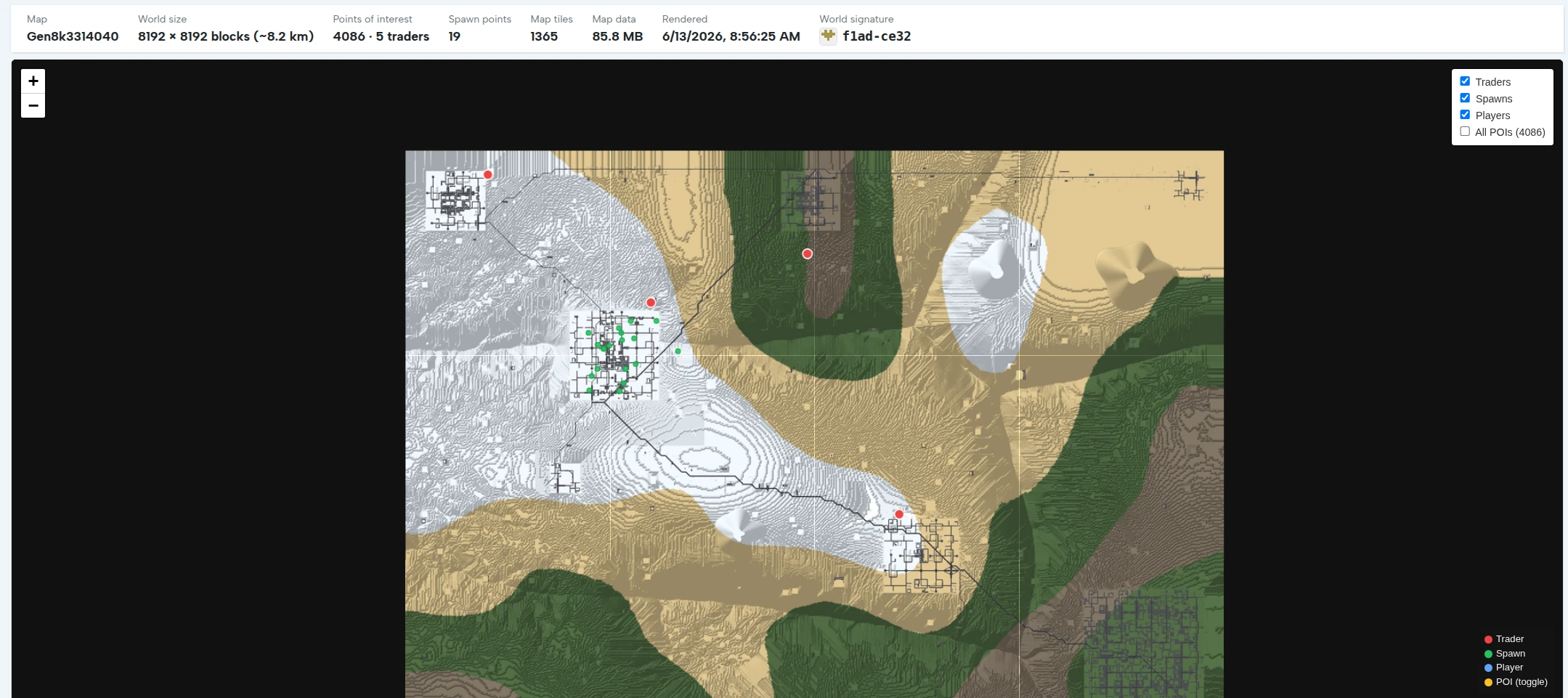
A real 8192 × 8192 render: 4,086 POIs and 5 traders, with toggles for traders, spawns, players, and all POIs.
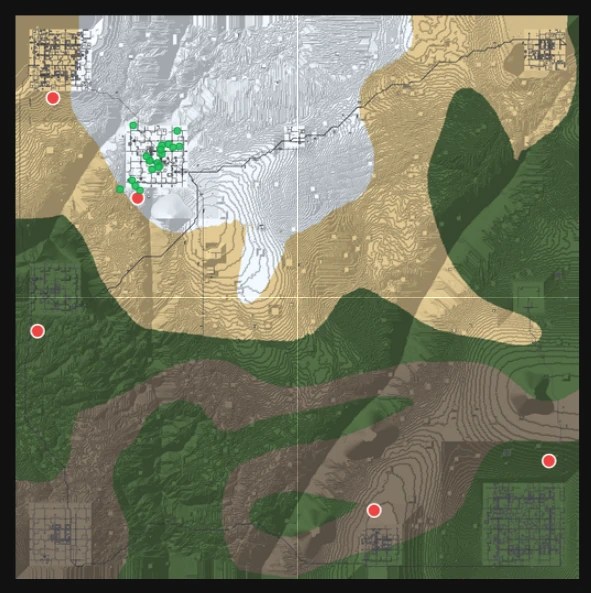
Biome flow, contour lines, town grids, and trader placement (red) shown before you commit to a download.
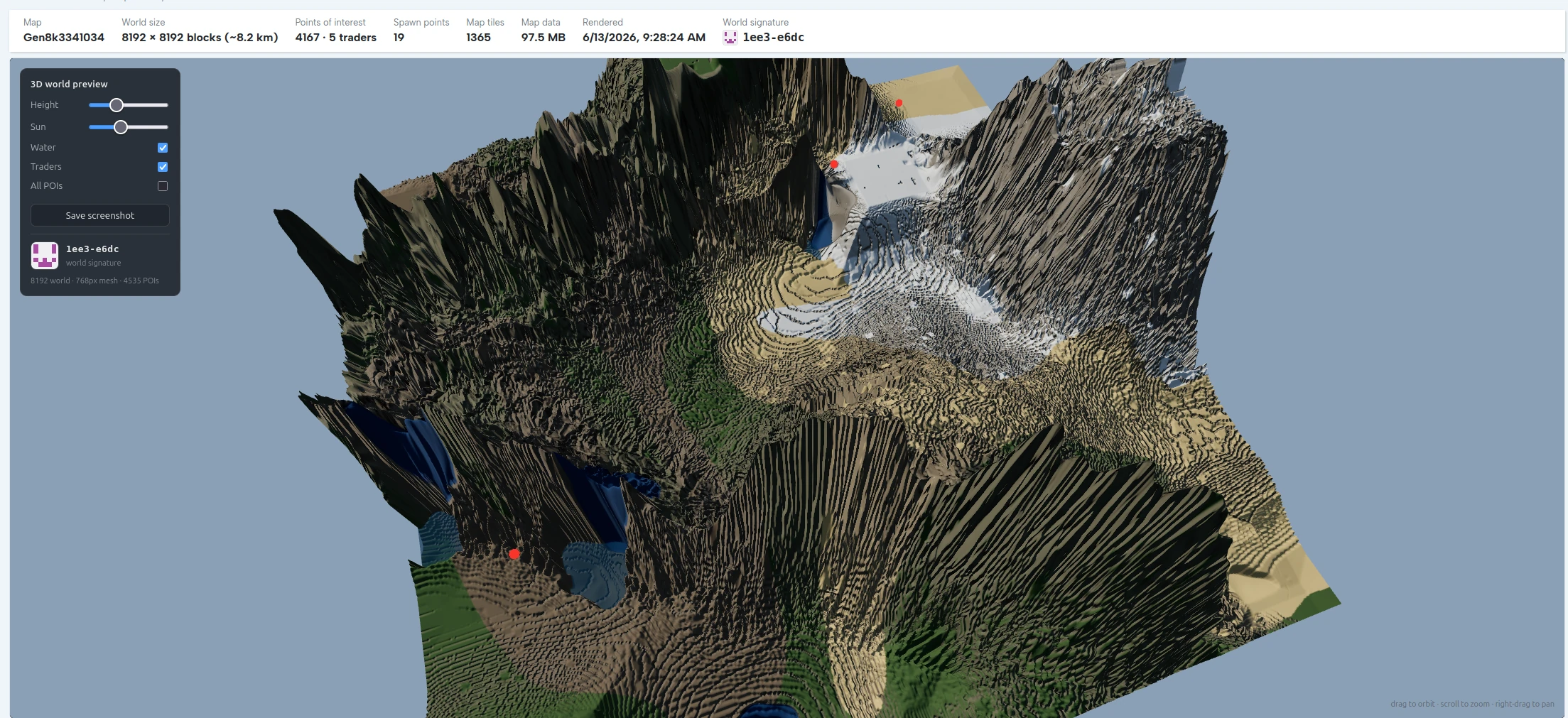
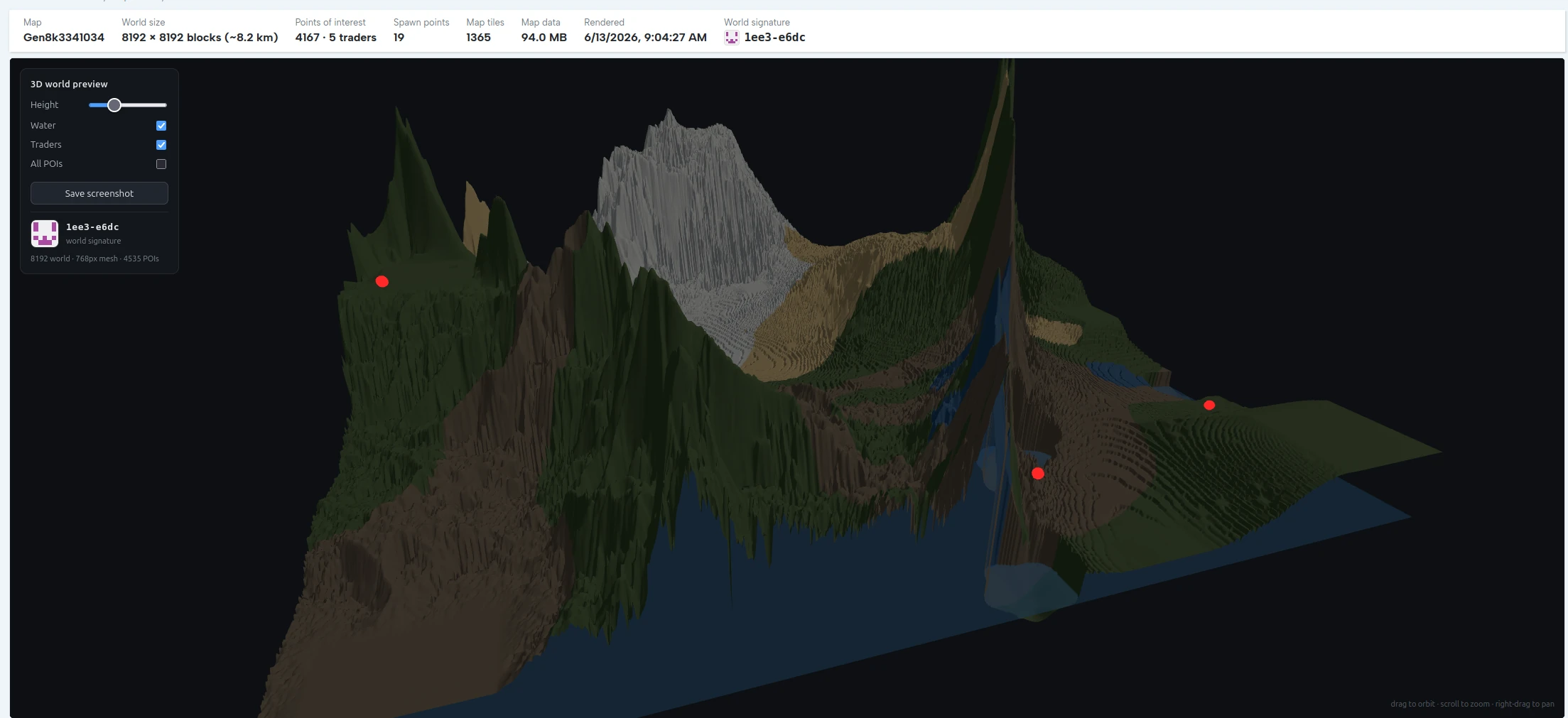
The same world from overhead in the 3D previewer: the whole 8192 landmass, snow peaks, water inlets, and trader markers, rendered from a 768px mesh before you download.
New in the July 2026 generator: the terrain engine picked up eleven quality waves this summer - feathered river banks, ocean rims and lake beaches, snowcapped peaks with diffuse biome transitions, curved roads with weathered disrepair, region-aware wilderness POIs (coast docks, mountain cabins), canon trader-biome progression matching RWG 1.0+, tier-5 POIs with on-road checkpoints, and town counts that scale with world area. You can now also shape the world before generating with Mountains, Water and Towns sliders (60-150%), and 16K worlds are built as best-of-eight instead of best-of-four.
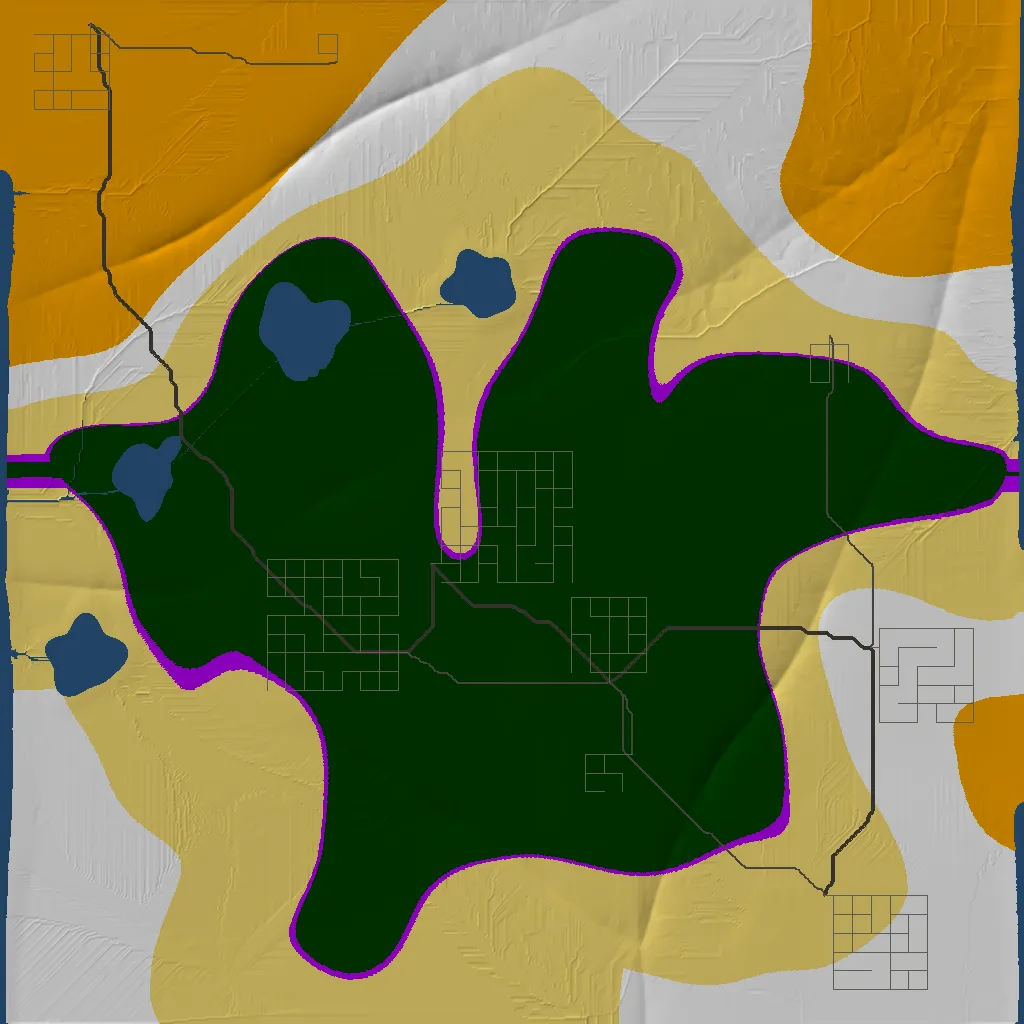
A recent render: forest core with its border ring, five town grids, lakes, and a coast-to-coast road network.
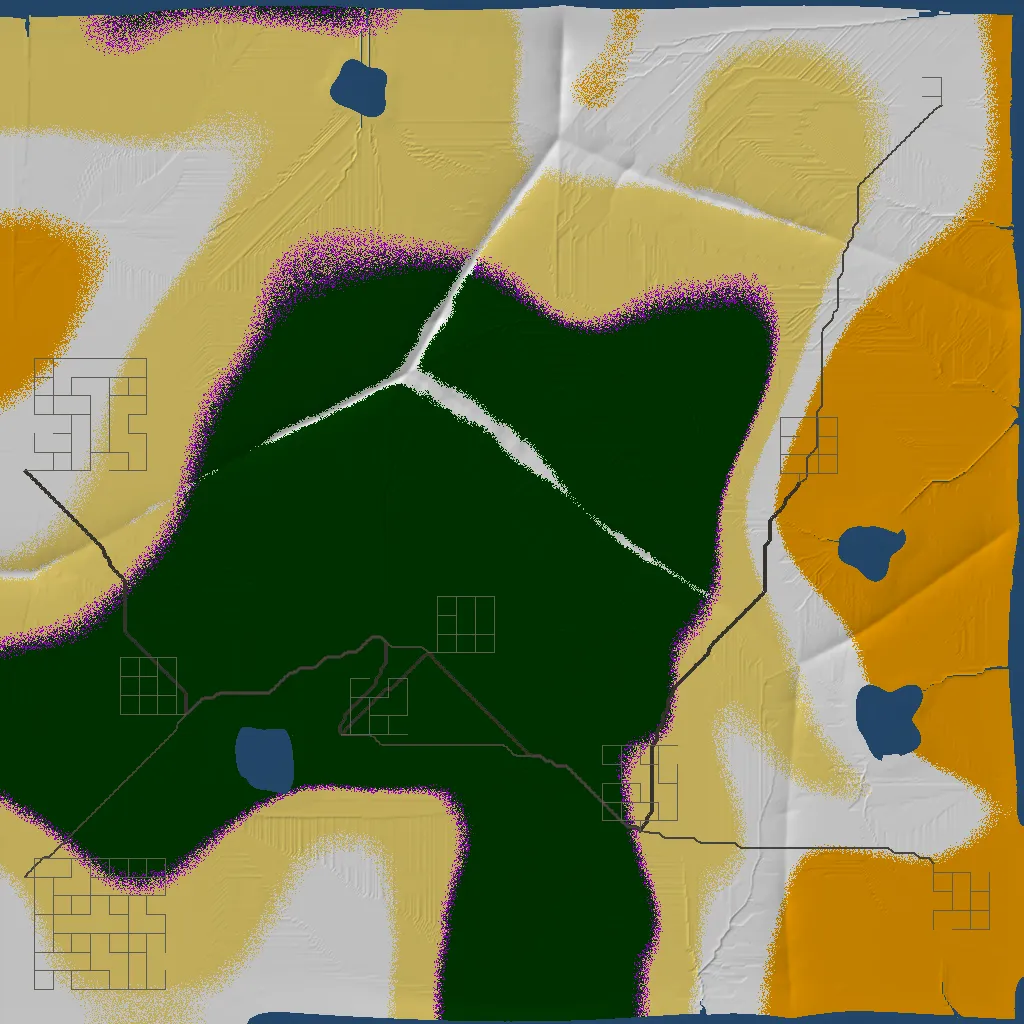
The July quality waves in action: diffuse, feathered biome transitions where forest meets desert and snow - no more hard borders.
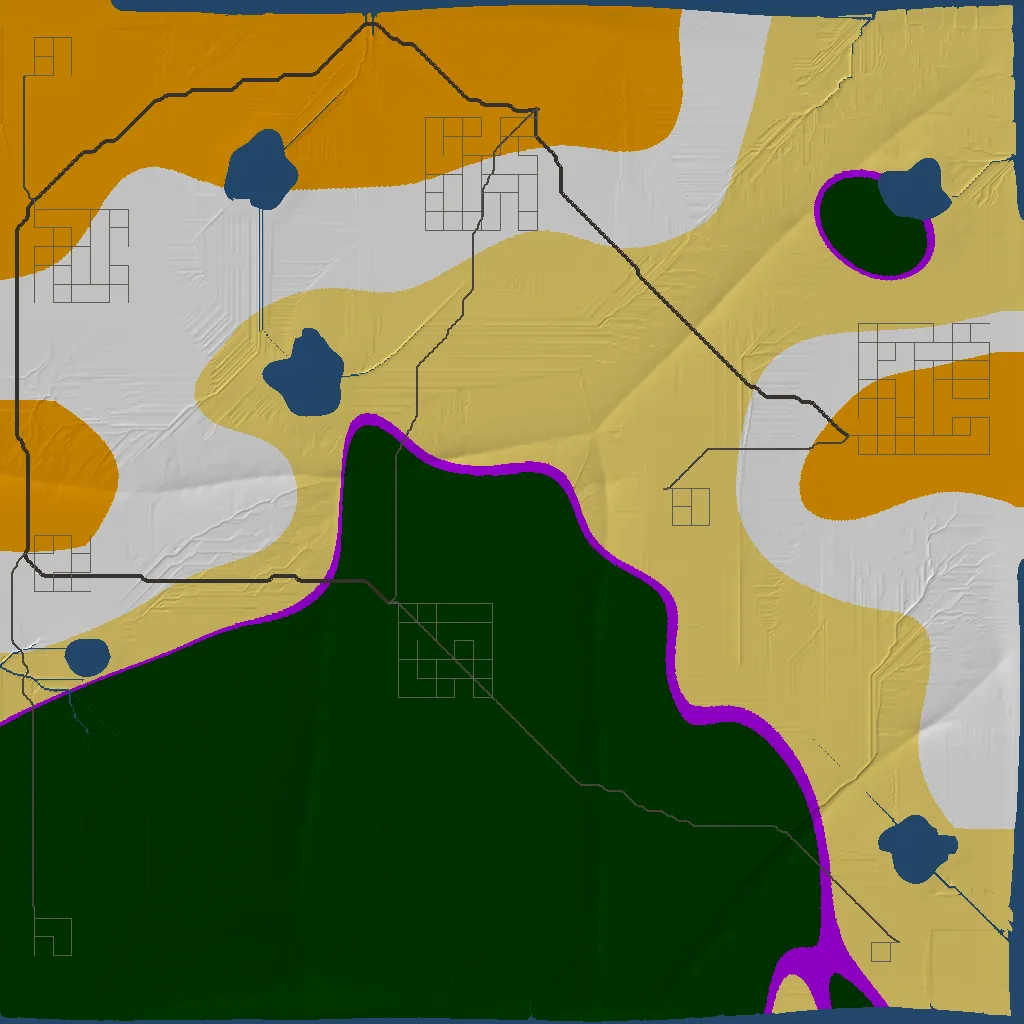
Region-aware wilderness POIs scattered beyond the town grids, winding biome borders, and long highway diagonals.
These are real, recent generations - not mockups. Browse the live gallery to see the latest worlds other players just generated.
Real generation benchmarks
Measured numbers from real production generations, not estimates. Every 8K world is built as four scored candidates; the strongest reachable one is kept and the rest are discarded.
8K world generation time
49 real 8192×8192 worlds, server-side · lower is faster
Half of all 8K worlds finish in under 53 seconds. The slower tail is the generator deliberately yielding CPU to live game servers (“customers always win”), not a stuck job.
Best of 4, scored not random
structural score out of 15, one real production run
Kept world: 15/15 structural, 7/7 economy, 100% of POIs reachable - all four candidates passed every gate, scoring just picks the strongest. You skip the seed lottery.
What is in an 8K world
136 MB raw → ~92 MB zipped download
The 128 MB heightmap dominates the download and compresses to roughly two thirds; everything else in the world folder is tiny.
Why it is fast: the slow parts of world generation (flow routing, road A*, erosion) run in a native engine that is 4–36× faster than the usual Python/Java path, so four whole candidate worlds are built and scored in less time than other tools spend on one.
Why it is the fastest path to a world
Three generators produce worlds that load on V3.2: xegen in the browser, Teragon on your desktop, and the game's own RWG. KingGen and NitroGen are both abandoned and were never updated past the Alpha line, so their maps do not load at all. Against the two that are alive, xegen's trade is simple: it does the work server-side and hands you a finished, scored world, where Teragon hands you far deeper control in exchange for a command stack and 16 GB of RAM. The full generator comparison covers all five.
| |
xegen |
Teragon |
Stock RWG |
| Where it runs | In your browser | Local desktop, 16 GB RAM minimum | In-game |
| Setup | None | Join its Discord, download from there, learn the command stack | None |
| Time for an 8K world | ~1 minute | Minutes to much longer, on your CPU | Minutes, on your CPU |
| Preview before you commit | 2D map and orbit-able 3D terrain | Yes, and it can load an existing world to inspect | No |
| Quality scoring | Picks best of 4 candidates (8 for 16K) | Single output per run, but presets repeat exactly | Single output |
| Custom POI and prefabs | No, it uses the game's own tiles | Yes, its strongest feature | Only what the game ships |
| Spawn validation | Yes, full parity with 3.2's runtime sleeper decoration; baked sleepers on 2.x worlds | Manual | Game default |
| You get | Ready-to-upload zip | World folder you export yourself | A world on the machine that built it |
No install, ever
It runs server-side. Your laptop never compiles a heightmap or installs a Java runtime, so a Chromebook generates the same 8K world a gaming rig does.
Scored, not random
xegen builds four worlds and keeps the one with the most realistic terrain, balanced traders, clean biome progression, and a safe forest start. The kept world typically scores 14-15 out of 15 with 94-100% of the map reachable, so you skip the seed lottery.
See it before you download
The 2D map and orbit-able 3D mesh let you judge mountains, water, road continuity, and town spread up front instead of loading a dud world onto your server first.
Server-ready output
Towns and highways are assembled from the game's own street tiles, so the world drops straight into a host. On V3.2 the game decorates sleepers at runtime, exactly as with 3.2's own RWG worlds; 2.x-era worlds (6144/8192) additionally ship baked sleeper volumes.
How to use it
- Open the xegen generator and pick a size - from 4k (4096) up to 16k (16384), with 8k (8192) the recommended sweet spot - and optionally shape the result with the Mountains, Water and Towns sliders (60-150%).
- Click generate and wait about a minute while xegen builds and scores candidate worlds.
- Inspect the result: scan the 2D map for biome flow and trader spread, then orbit the 3D preview for terrain and water.
- Download the zip (valid for 24 hours) and drop the world folder onto your server, or generate again, free allocation is 3 worlds per day.
Best pairing: generate a world with
xegen, then upload it to a
hosted 7 Days to Die server so your whole group plays the same custom map. Want a hand-tuned, preset-driven pipeline instead? The
Teragon generator trades speed for deep POI control, and its 0.52.30 release from September 2026 is compatible with V3.2. New for V3.0: pair your generated world with a
SandboxCode settings recipe - a map plus a settings code is a complete, shareable server setup. Just hunting for a good seed? See the
7D2D seeds guide. And because
V3.0 reworks world generation, a freshly generated world is the cleanest way to start on the new build.
FAQ
How do you pronounce xegen?
It is pronounced “zee-gen”. The x sounds like a z, so it is two syllables: zee then gen.
Do I need to install anything?
No. xegen runs entirely in the browser. There is no desktop app, no Java runtime, and nothing to update.
How long does an 8K world take?
About a minute. The generation happens server-side, so it does not depend on your computer's CPU.
Is the world ready for a dedicated server?
Yes. The output is a standard world folder in a zip. On V3.2 the game decorates sleepers at runtime, giving xegen worlds full parity with 3.2's own RWG output; 2.x-era worlds (6144/8192) additionally ship baked sleeper volumes. Upload it to your host and select it as the world.
How many worlds can I generate?
The free allocation is 3 worlds per day, and each download link stays valid for 24 hours.
Will it work on V3.2?
Yes. Every panel size (4096-16384) exports for 3.2, and spawn handling matches how 3.2 actually works: real 3.2 RWG worlds carry no baked sleeper volumes, because the game decorates sleepers at runtime, so xegen's output has full parity with 3.2's own generator. And since V3.0 reworked world generation, a freshly generated world is the cleanest way to start on the current line.